Client apps · Built by Mobley Labs — a Mobley Group studio
Your clients live on their phones. Give them your app.
We design and build a custom app for your business — the one your clients open to book, check in, follow their plan, and check on the dog — built in your own developer accounts and handed over with the keys.
Most local service businesses rent their client experience from booking platforms and generic apps that carry someone else's name. A client app of your own puts your name on your clients' home screens — your intake forms, your reminders, your check-ins — and it stays yours: your store listings, your accounts, your documentation.
Who it's for — and the problem it solves
Who it's for: owners of appointment- and membership-based businesses — med spas and aesthetics studios, pet care, trainers and fitness studios, and medical and dental practices — whose clients book, pay, follow a program, and check back from their phones.
The problem: your clients already live in apps, while your business reaches them through a mobile website that buries booking behind menus and a social profile you don't control. A client app of your own puts booking, reminders, progress, and your brand on the screen they check all day — in your accounts, under your name.
Working Prototype
See what we can build for you — then try it
Below is the flagship demonstration for this service: a working prototype of a client app, presented as Desert Sage Wellness, a fictional wellness practice, built to show the experience a commissioned build delivers. Tap through its tabs, check items off its log, and open the sample guide chat.
Then scroll to Your branding and put your own business into the same phone — your name, your kind of business, your color.
Sample data · Explore the experience. Every name, record, and number in the prototype is simulated. It is a demonstration, not a deployed client app, and nothing you type into it is submitted or stored.
Built by the studio that ships
Client App Build is the service arm of Mobley Labs — a Mobley Group studio — the product arm behind SitterSheet, a working app we designed, built, and sell today. The same hands that ship our own products build yours, under the same rule that governs everything we deliver: built in your accounts, documented, handed over. See SitterSheet — a shipped product → · Buy SitterSheet on Gumroad →
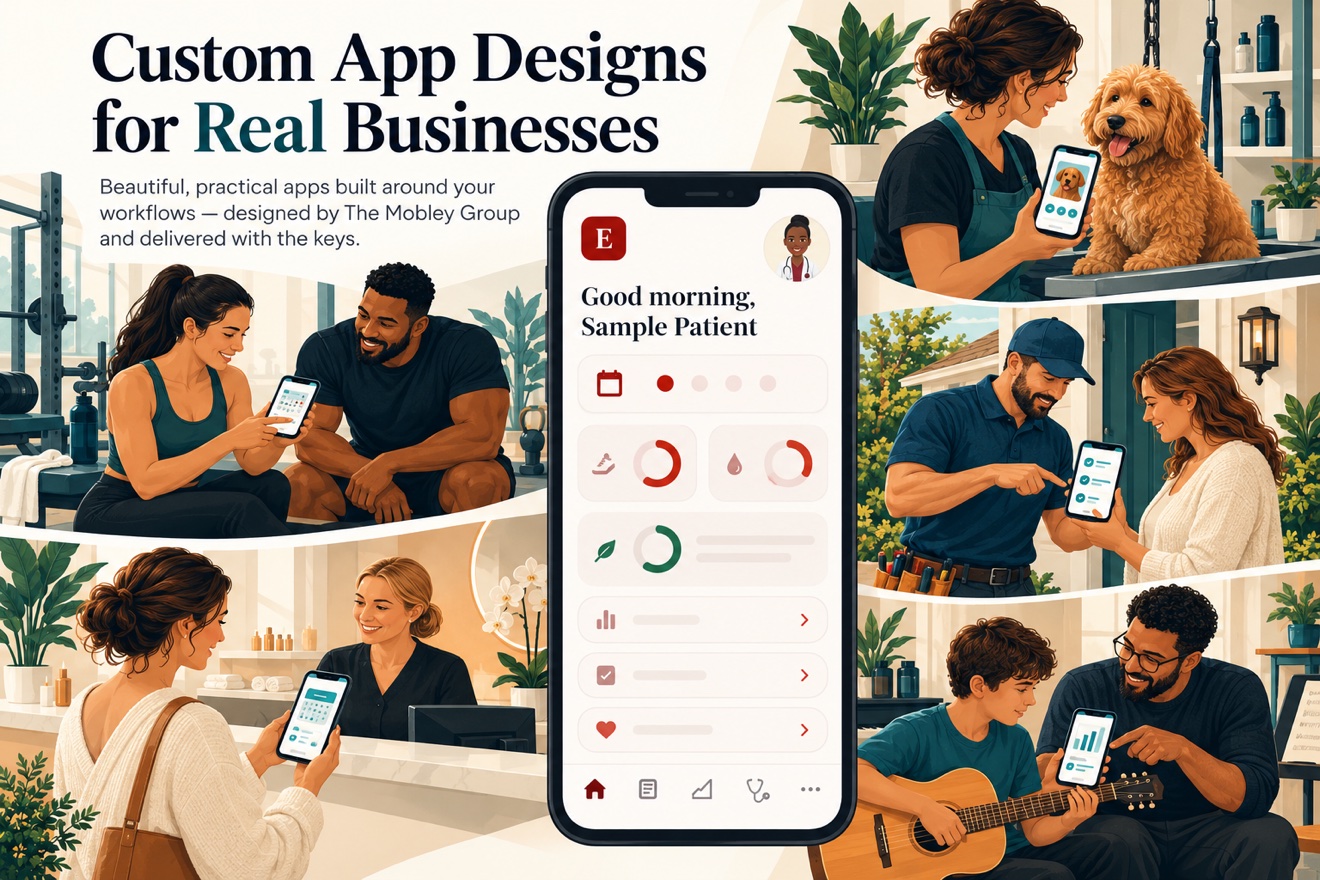
Concept poster for the flagship demonstration. The scenes are illustrations of the moments a client app serves — not clients, and not results.Working Prototype
Your branding, in the same phone
Choose a kind of business, give it your name, and pick a signature color. The prototype responds immediately — so you can see the idea, not just read about it.
Your instant app concept
This is a front-end illustration of customization, not a working client portal. Nothing you type is submitted or stored — it lives only in this page, in this tab.
These four were not picked by habit. In each one, owners already pay monthly for client-experience software, clients already have something to do in an app between visits, and the platforms they rent leave that experience carrying someone else's name.
FOR MED SPAS & AESTHETICS
Med spa → client app
Your business runs on cycles and series — an app is where your clients live between treatments:
Treatment plans with sessions remaining, visible at a glance
Pre-care and post-care instructions tied to each treatment
A before-and-after photo timeline your client keeps
Rebooking reminders timed to the treatment cycle, not the calendar
Membership status, perks, and regimen checklists
FOR PET CARE
Grooming, boarding & daycare → pet parent app
Your clients are pet parents, and between drop-off and pickup they want one thing — to see how their dog is doing:
Photo report cards after every visit or day of play
Booking for grooming, boarding, and daycare in a few taps
Vaccination records uploaded once, with expiry reminders
Feeding and medication instructions kept on file
Package balances and easy rebooking
FOR TRAINERS & STUDIOS
Trainer or studio → member app
Your coaching and your classes, under your brand instead of a platform's:
Training programs your clients follow in the app
Class and session booking with pack balances
Habit and session check-ins you can see at a glance
Messaging with stated boundaries: your hours, your response windows
FOR PRACTICES & DENTISTS
Practice or dental office → patient app
The paperwork and the follow-through, handled before and between visits:
Intake and consent forms completed before arrival
Appointment check-ins, reminders, and recare recalls
Visit prep and post-care instructions patients can find again
Care-plan and program tracking between visits
The door scenes are illustrations from an approved set. They show the kind of moment an app serves — they are not photographs, not clients, and not results.
What's included
A written scope naming the features, the screens, and what is not included — agreed before any build starts
App design in your brand: your name, your colors, your icon on the home screen
Build for iPhone and Android from one codebase
Store listings written and submitted in your name — screenshots, descriptions, review responses
A short client-facing guide: how your patients or clients get the app and use it
Handover documentation: what was built, where it lives, and how to run or change it
A good fit — and a poor one
A good fit is a business with a repeat client relationship — a treatment series, a boarding regular, a training roster, a recall list — and one or two client tasks that happen over and over: booking, check-ins, reminders, photos, tracking.
A poor fit is a one-off transaction business, or an idea that needs a marketplace, payments network, or social platform behind it. We will say so in the first reply rather than scope the wrong build.
How it works
01 · SCOPE
Written scope first
We agree the features, the screens, the timeline, and the price in writing before anyone builds. The scope names what is excluded, too.
02 · ACCOUNTS
Built in your accounts
You enroll in your own Apple and Google developer accounts — the app, the listings, and the code live under your name from day one, not ours.
03 · SUBMIT
Submitted in your name
We prepare the store listings and walk the app through Apple and Google review under your accounts, and handle the fix-and-resubmit rounds the scope covers.
04 · HANDOVER
Keys and documents
You receive the app, the source, and the handover documentation — what was set up, where, and how to run it or hand it to someone else.
Support and limitations
Your store accounts, your enrollment. The app is published under your own Apple Developer and Google Play accounts. Enrolling — identity verification and the stores' own fees — is yours to complete; we cannot hold your store presence in our name and still call it yours.
Health information. The build does not store protected health information (PHI) on our side. If your app handles PHI, the features, the hosting, and the agreements behind it are your practice's compliance decisions under HIPAA — made with your compliance advisor, not from our say-so. This page is not legal advice, and we do not certify any build as HIPAA-compliant.
Not a medical device. A client app handles scheduling, forms, reminders, and tracking. It does not diagnose, treat, or monitor patients, and it is not a substitute for your clinical systems or your electronic health record.
Timelines are scoped, not promised loose. Your written scope carries the schedule, including the store review windows — Apple's and Google's review times are theirs, not ours, and the scope says how resubmission rounds are handled.
Mobile app, web app, or both. A build can be a store app for phones, a browser-based web app, or both — your written scope names which. Browser-based apps and internal tools may not need store accounts at all.
Wellness is not medical advice. Program features like the guide in the demo support habits, check-ins, and organization. They are not medical advice, diagnosis, or clinical care, and the demo's guide is a scripted example, not a clinician.
Store approval is the stores' decision. We build to the published guidelines and handle the review rounds in scope; no one can guarantee a store's approval, and we will not pretend otherwise.
How pricing works
A fixed build fee, set in your written scope. Before any work begins, the scope names the features, the screens, the exclusions — and the one fixed fee for that scope, paid in milestones: on scope, on store submission, on handover. There is no hourly meter running. A change after scope is a new written scope, priced before it is built.
An optional care plan, if you want the studio on call: $49–$79/month. Bounded in the same writing: store listing upkeep, operating-system update compatibility checks, and small content changes — with named exclusions and a stated response window. New features are never inside the care plan; they are scoped separately. After handover, with or without a care plan, the app is yours to run.
Payment details are confirmed in your written scope.
What you'll need to launch
Your store accounts (scope-dependent). If your build is a store app: an Apple Developer Program account ($99/year, paid by you to Apple) and/or a Google Play developer account ($25 one-time, paid by you to Google). Browser-based web apps and internal tools may need neither.
Your domain and hosting (required for web apps). A domain name and hosting, in your name — typically a modest yearly cost paid to your registrar/host.
Optional services, only if your scope uses them. Push-notification, payment-processing, database, or authentication services; each is named in the scope with its cost before work begins. Payment processors charge their own per-transaction fees.
Your enrollment steps. Store enrollment includes identity verification only you can complete — we walk you through it, and the accounts stay yours.
“No surprise platform costs. Before work begins, we'll explain any required third-party accounts, subscriptions, usage charges, or publishing fees. Where practical, these accounts are established in your name so you retain control.”
Ownership, handover, and support
Yours: the app, its store listings, your developer accounts, your domain, and your business data. The build happens in accounts established in your name wherever practical, so you hold the keys from day one.
Handover includes: the published app, documentation of how it is set up and how to make routine changes, and the account list — everything another developer would need to pick it up.
Scope and changes: the written scope names the included features. A request beyond it is a new written scope, priced before it is built — never a surprise line item.
Support. If something we delivered doesn't do what the written scope says, we fix it — that's a defect, not a new request. Anything beyond the scope is quoted in writing before work begins.
If we part ways: the app keeps running on your accounts. Any care plan simply ends; the third-party accounts and their fees remain yours, as they were from the start.
Licensed components: stock libraries, fonts, and platform services stay under their own licenses — we promise ownership only of what is ours to give.
Start with the conversation
Tell us your business, the client task you want the app to carry, and what your clients use today. We will reply with whether an app is the right build — and if it is, a written scope and price before any work begins.
Please do not send patient information, client health details, or account credentials in the first email — the first conversation is about your business and the task, not anyone's records.
Common questions
Who owns the app?
You do. The developer accounts, the store listings, the code, and the documentation are in your name and handed over to you. That is the same ownership rule as everything we build — if we ever part ways, the app and its listings stay right where they are: yours.
Why do I need my own Apple and Google accounts?
Because the stores publish apps under the account holder's name and control. Your patients and clients should find your app under your business, and you should be able to change or revoke access whenever you like. Apple and Google charge their own enrollment fees, paid by you directly to them.
Does the app handle patient health information?
Not on our side. The build does not store protected health information on Mobley Group or Mobley Labs systems. If the app you want would collect or store PHI, that shapes the design, the hosting, and the agreements — and those are your practice's compliance decisions to make with your own advisor. We flag it plainly at scope time rather than discover it mid-build.
How long does a build take?
Your written scope carries the timeline, broken into design, build, and store review. Store review windows belong to Apple and Google, so the scope states the plan for them — including how fix-and-resubmit rounds are handled — instead of a single date nobody controls.
Is this a medical device or a replacement for our practice software?
No. A client app covers the client-facing layer — forms, reminders, check-ins, instructions, tracking. It does not diagnose or treat, and it sits alongside your clinical and practice-management systems rather than replacing them.
What do you not do?
We do not build marketplaces, social apps, or apps whose core is collecting patient records. We do not hold your store accounts, your data, or your clients' information on our side. And we do not promise store approval or download numbers — anyone who does is selling you the promise, not the app.